

AFFiNE
Business Tools
AFFiNE AI Create Smarter with AIDocs Powerful, Simple for AllEdgeless Collaborate Without Limits.
ProprietaryBusiness Tools
4.4(120)See website

You code for the web. You demand a fast, clean, and powerful text editor. Pixel-perfect preview.
You code for the web. You demand a fast, clean, and powerful text editor. Pixel-perfect preview. A built-in way to open and manage your local and remote files. And maybe a dash of SSH. Say hello, Coda. Features: • Touch Bar. On the new MacBook Pro, switch instantly between editor and preview, comment lines in a flash, and much more. • Speed. Syntax highlighting is anywhere from 4 to 10 times faster. Symbol parsing is 10 times faster. It’s real zippier. • Editor Improvements. Vertical indentation guides.
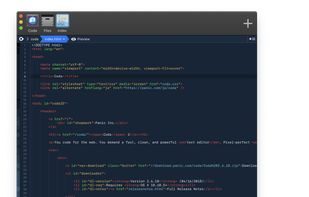
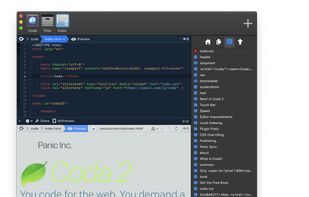
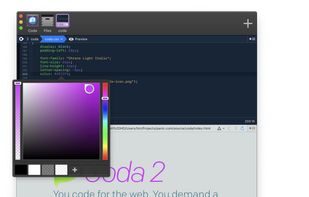
Coda sits in Business Tools alongside options like Official Partner and Notepad++. Buyers typically care about development, coda, syntax highlighting. Use the alternatives list and primary sources linked on this profile before you commit.
Strengths
Tradeoffs
What is Coda?
You code for the web. You demand a fast, clean, and powerful text editor. Pixel-perfect preview.
What is Coda best used for?
Development workflows; Coda workflows; Syntax Highlighting workflows.
What are alternatives to Coda?
Common alternatives include Official Partner, Notepad++, Visual Studio Code, Sublime Text, VSCodium. Compare features, pricing, and platforms on Bookmarkit.
No alternatives listed yet for Coda.
Suggest an alternativeYou code for the web. You demand a fast, clean, and powerful text editor. Pixel-perfect preview. A built-in way to open and manage your local and remote files. And maybe a dash of SSH. Say hello, Coda. Features: • Touch Bar. On the new MacBook Pro, switch instantly between editor and preview, comment lines in a flash, and much more. • Speed. Syntax highlighting is anywhere from 4 to 10 times faster. Symbol parsing is 10 times faster. It’s real zippier. • Editor Improvements. Vertical indentation guides. Teams often evaluate it alongside similar tools when comparing pricing, features, and fit for development workflows.
Sign in to like this product and leave a review.
Business Tools
AFFiNE AI Create Smarter with AIDocs Powerful, Simple for AllEdgeless Collaborate Without Limits.

Business Tools
Aha! is a Business Tools product used by individuals and teams who want a reliable, modern workflow.

Business Tools
Spreadsheet-database hybrid for building lightweight internal apps and workflows.