

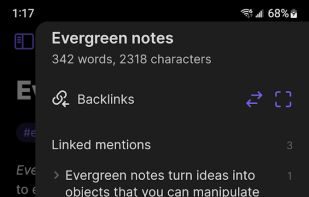
Local-first markdown knowledge base with bidirectional links and plugins.
Freemium (Subscription)Writing & ContentMacWindowsLinuxFreemium · See website

All-in-one workspace for notes, docs, wikis, and lightweight project tracking.
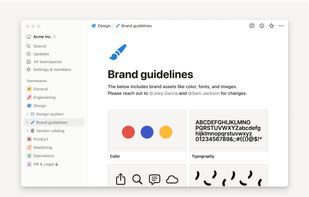
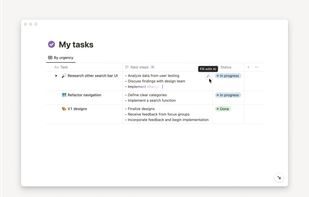
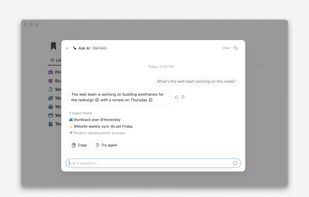
Notion combines documents, databases, wikis, and project boards in one flexible workspace. Teams use it for knowledge bases, meeting notes, roadmaps, and lightweight CRMs—with templates, permissions, and AI features that keep company context searchable and connected.
Notion combines functionality from multiple productivity tools into one platform, offering flexibility and comprehensive features. While praised for its versatility and visual design, some users report performance issues and a learning curve for text editing.
Strengths
Tradeoffs
What platforms is Notion available on?
Notion is available on Mac, Windows, Online, Android, iPhone, Android Tablet, and iPad.
Does Notion offer a free version?
Notion operates on a Freemium model with subscription options for advanced features.
Can Notion integrate with other apps?
Yes, Notion integrates with various apps including Google Docs and Pastebin, and offers API access for custom integrations.
Local-first markdown knowledge base with bidirectional links and plugins.

Anytype is a Personal Productivity product used by individuals and teams who want a reliable, modern workflow.


AppFlowy is a Business Tools product used by individuals and teams who want a reliable, modern workflow.

Notion combines documents, databases, wikis, and project boards in one flexible workspace. Teams use it for knowledge bases, meeting notes, roadmaps, and lightweight CRMs—with templates, permissions, and AI features that keep company context searchable and connected. Teams often evaluate it alongside Obsidian and Anytype when comparing pricing, features, and fit for team project management and collaboration.
Sign in to like this product and leave a review.

Productivity
Fast issue tracking and project planning purpose-built for product engineering teams.
Personal Productivity
Anytype is a Personal Productivity product used by individuals and teams who want a reliable, modern workflow.
Business Tools
AppFlowy is a Business Tools product used by individuals and teams who want a reliable, modern workflow.