

Professional vector graphics for logos, illustrations, and brand systems.
ProprietaryArt & DesignMacWindowsiPadPaid · See website
Art and design tools are the apps you draw, layout, and prototype in. This shortlist includes Figma, Adobe Photoshop, Illustrator, Blender, Canva, Penpot, Sketch, and Procreate. Image generators are listed separately because they create drafts. These products are where you make the file you actually ship.


Art and design tools are software for creating visual work: interfaces, illustrations, print layouts, motion, and 3D. They store layers, components, and export presets. Some are collaborative (Figma, Penpot). Some are desktop-first (Photoshop, Blender, Procreate). A generator can feed them. It does not replace versioning, design systems, or print marks.
This shortlist includes Adobe Illustrator, Adobe Photoshop, Adobe XD, Affinity Designer, Affinity Photo, Behance, and 27 more.
We include tools whose primary job is making or hosting visual work. Generators, stock sites, and generic office docs stay off this page unless they are a core design surface.
Open a profile for pricing, alternatives, and a product page.
Professional vector graphics for logos, illustrations, and brand systems.
Industry-standard photo editing and digital compositing for creative professionals.
Alternative to GIMP and Affinity Photo and Luminar Neo
UI/UX design and prototyping tool for wireframes and interactive mockups.
Vector and raster design app for UI, illustration, and marketing assets.

Professional photo editor with a one-time purchase instead of a subscription.


Behance is a Art & Design product used by individuals and teams who want a reliable, modern workflow.


Free open-source 3D suite for modeling, animation, rendering, and VFX.
Alternative to Cinema 4D
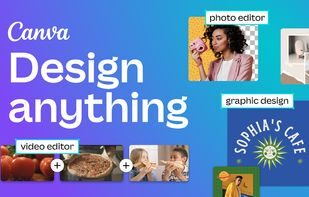
Drag-and-drop design platform for social graphics, presentations, and brand kits.

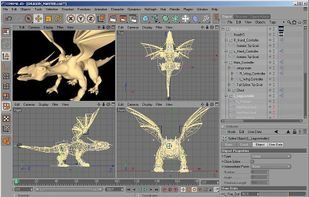
CINEMA 4D is a commercial, cross-platform, high-end 3-D graphics application, produced by MAXON Computer GmbH of Friedrichsdorf, Germany.
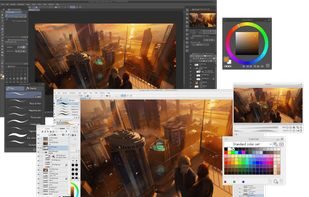
Clip Studio Paint, previously Manga Studio or ComicStudio in Japan, is a family of software applications for Mac OS X and Microsoft Windows.
Alternative to Krita and Adobe Photoshop and Affinity
Coolors is a Art & Design product used by individuals and teams who want a reliable, modern workflow.


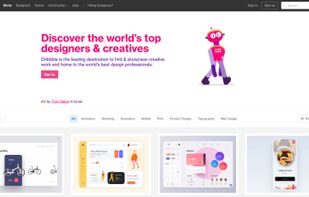
Dribbble is the go-to resource for discovering and connecting with designers and creative talent around the globe.
Alternative to Behance

Collaborative interface design and prototyping in the browser for product teams.
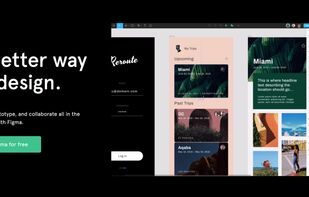

Design-to-publish website builder with motion, CMS, and AI-assisted creation.
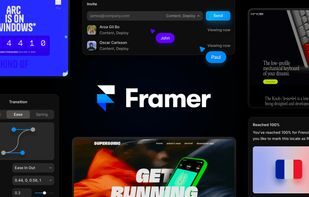

Free, open-source image editor for photo retouching, compositing, and graphic design.
Alternative to Krita and Adobe Photoshop and Affinity
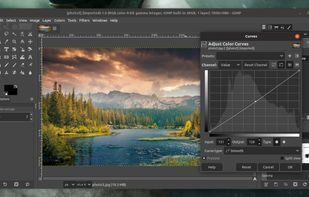

Free open-source vector graphics editor for illustration and SVG design.
Alternative to Adobe Illustrator and Affinity
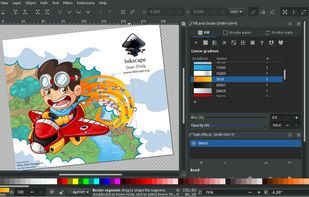

Khroma is a Art & Design product used by individuals and teams who want a reliable, modern workflow.


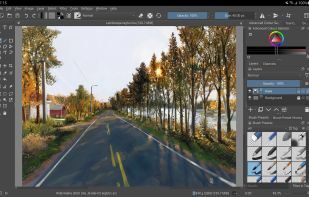
Free digital painting studio for illustration, comics, and concept art.
Alternative to GIMP and Adobe Photoshop

LottieFiles is a Art & Design product used by individuals and teams who want a reliable, modern workflow.

Maya is a Art & Design product used by individuals and teams who want a reliable, modern workflow.

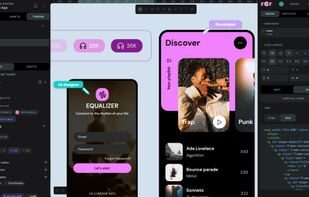
Penpot is the open-source design platform for teams that design, build, and scale digital products.

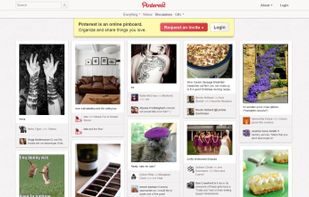
Think of Pinterest as a virtual pinboard — a place where you can create collections of things you love and "follow" collections created by p.
Procreate is a multi-award winning, creative illustration app built from the ground up for iPad with a pocket-sized variant for iPhone.
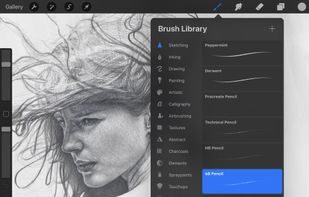

Remove Background AI is a Art & Design product used by individuals and teams who want a reliable, modern workflow.

Powering Spotify Wrapped, Duolingo, and products reaching 2 billion users.


Mac-native UI design tool with symbols, libraries, and prototyping.
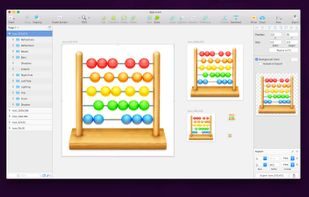
Spline is a Art & Design product used by individuals and teams who want a reliable, modern workflow.


Substance 3D is a Art & Design tool for teams and individuals who want a reliable, modern workflow.


Visual website builder that outputs production-ready HTML, CSS, and CMS sites.
Alternative to Squarespace

ZBrush is a Art & Design product used by individuals and teams who want a reliable, modern workflow.

Affinity Publisher handles professional page layout with tight integration to Affinity Photo and Designer.


Lunacy is a free UI design app from Icons8 with offline support and built-in graphics.

Browser-based Photoshop-style editor that opens PSD files for free.
Match the file type and the team. UI systems want multiplayer and components. Illustration wants brushes and color management. 3D wants a viewport and a renderer.
| If this is the job | Look at |
|---|---|
| Product UI and design systems | Figma first, then Penpot, Sketch, or Lunacy if you need a different license or desktop workflow. |
| Pixel and print work | Photoshop, Affinity Photo, Photopea, or Illustrator and Affinity Designer for vectors. |
| 3D and motion | Blender, Spline, Cinema 4D, Maya, ZBrush, or Rive for product motion. |
| Non-designers making assets | Canva, with a designer-owned template library so the brand does not drift. |
Best AI image generation tools
Hosted generators and local UIs for still images, not video.
Best video and media tools
Editors, recording, and hosting. Text-to-video is a separate list.
Best writing and content tools
Editors, grammar tools, and long-form rooms. Research overlays sit next door.
Art and design software
Full category directory, not this editorial shortlist.
Figma is the default for UI and design systems because files are multiplayer and component-based. Penpot is the common open alternative. Sketch remains a Mac-centered option. Pick based on plugins, Dev Mode needs, and whether you must self-host.
Canva is enough for social, decks, and template-based brand work. It is not a replacement for Photoshop or Illustrator when you need print prepress, complex masking, or vector illustration. Many teams keep Canva for requesters and Adobe for production designers.
Photopea runs in the browser and opens PSD files. GIMP and Krita are desktop options. Affinity Photo is a paid one-time alternative. None of them clone every Photoshop plugin. Test your actual file, not a blank canvas.
Learn Blender if you need full control and you can spend time on the UI. Use Spline or similar hosted tools if you need a 3D object on a marketing site this week. Cinema 4D and Maya still show up in motion and VFX shops.
Generators draft. Design tools finish. You still need components, export settings, and a place to comment. Keep both bookmarked and decide where the source of truth lives (usually Figma or Adobe, not the generator history).