

LangGraph extends LangChain with cyclic graphs, persistence, and human-in-the-loop control for production agents.
ProprietaryAI Agents & AutomationWebFreemium · See website

This list is for people wiring models into jobs that already have steps: crawl a site, wait on a queue, call an API, then write back. It sits next to the broader AI agent list, but the emphasis is automation: LangGraph, n8n, Make, AutoGen, browser runtimes, and scrapers such as Apify.




AI agent automation is the combination of a model that can choose steps with a system that can run those steps reliably. The model proposes an action. The automation layer retries, waits, and records what happened. Without the second half, agents stall on timeouts and half-finished tasks. Without the first half, you only have a fixed zap.
This shortlist includes LangGraph, n8n, Make, CrewAI Studio, AutoGen, Flowise AI, and 16 more.
Products land here if they run workflows, browsers, or long-running jobs that an agent can call. Chat-only LLM apps stay on the chat list. Support-only agents stay on the support-agent list.
Open a profile for pricing, alternatives, and a product page.
LangGraph extends LangChain with cyclic graphs, persistence, and human-in-the-loop control for production agents.
Open-source workflow automation you can self-host with full data control.

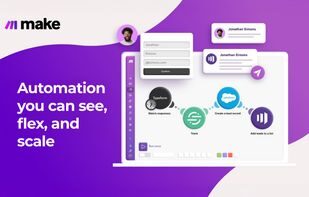
Visual automation platform for complex multi-app scenarios and data transforms.
Alternative to n8n
CrewAI Studio is a AI Agents & Automation product used by individuals and teams who want a reliable, modern workflow.

AutoGen is a AI Agents & Automation product used by individuals and teams who want a reliable, modern workflow.

Flowise AI is a AI Agents & Automation product used by individuals and teams who want a reliable, modern workflow.


Dify AI is a AI Agents & Automation product used by individuals and teams who want a reliable, modern workflow.


Semantic Router is a AI Agents & Automation product used by individuals and teams who want a reliable, modern workflow.
Composio is a AI Agents & Automation product used by individuals and teams who want a reliable, modern workflow.


The leading developer platform for building AI agents and LLM apps.


Browserbase is a AI Agents & Automation product used by individuals and teams who want a reliable, modern workflow.


Browserless is a AI Agents & Automation product used by individuals and teams who want a reliable, modern workflow.


Apify is a AI Agents & Automation product used by individuals and teams who want a reliable, modern workflow.


Bright Data is a AI Agents & Automation product used by individuals and teams who want a reliable, modern workflow.


Oxylabs is a AI Agents & Automation product used by individuals and teams who want a reliable, modern workflow.


SuperAGI is a AI Agents & Automation product used by individuals and teams who want a reliable, modern workflow.

Lindy lets teams create AI agents that work across email, calendars, and popular apps.


Relevance AI Agents is a AI Agents & Automation product used by individuals and teams who want a reliable, modern workflow.


No-code AI agent platform that answers, takes real action, and runs support, sales, and ops across every channel.


Langflow is a AI Agents & Automation product used by individuals and teams who want a reliable, modern workflow.


Temporal makes multi-step workflows fault-tolerant with automatic retries and state recovery.


Windmill turns scripts into production workflows and UIs with secrets, schedules, and observability.
Separate the planner from the runner. Many teams keep the model in one product and the retries in another.
| If this is the job | Look at |
|---|---|
| Long-running or flaky jobs | Temporal or Windmill for retries and state. Do not keep that logic in the prompt. |
| Non-technical builders | n8n, Make, Lindy, or Dify. Check export and who can edit live flows. |
| The agent needs a real browser | Browserbase, Browserless, or a scraper such as Apify. Read the agentic-browser risk notes first. |
| Multi-agent research code | AutoGen, CrewAI Studio, LangGraph, or LangFlow if you will own the graph. |
Best AI agent tools
Frameworks, coding agents, and hosted builders for multi-step AI work.
Best developer tools
Editors, repos, cloud, APIs, and observability for engineering teams.
AI agent software
Full category directory, not this editorial shortlist.
MCP tool poisoning risk
Bookmarkit research note
Agent security checklist
Bookmarkit research note
The AI agents list covers frameworks, coding agents, and general builders. This page focuses on products you use when the agent must run a workflow, a browser, a scraper, or a durable job. If your question is “which library should I import?”, start on the agents list. If your question is “how does this keep running at 2am?”, start here.
They can replace a framework for narrow jobs: watch a trigger, call a model, write to a sheet. They do not replace a framework when you need custom tools, evals, and a graph you test in CI. Many teams use both: n8n for glue, LangGraph or AutoGen for the planner.
Agents that research the public web need a fetch layer that can render pages, rotate sessions, and store results. Apify, Bright Data, Oxylabs, Browserbase, and Browserless are that layer. They are not agents. They are tools an agent calls, and they carry legal and security constraints.
LangGraph is a way to define agent steps as a graph you can test, interrupt, and resume. Teams pick it when a linear chain is not enough and they want checkpoints. It is a developer tool, not a no-code studio.
Set a max step count, a wall-clock timeout, and a human approval on writes. Log every tool call. If you use a browser, isolate cookies and credentials from the model prompt. Durable runners such as Temporal help you fail a job instead of retrying blindly.